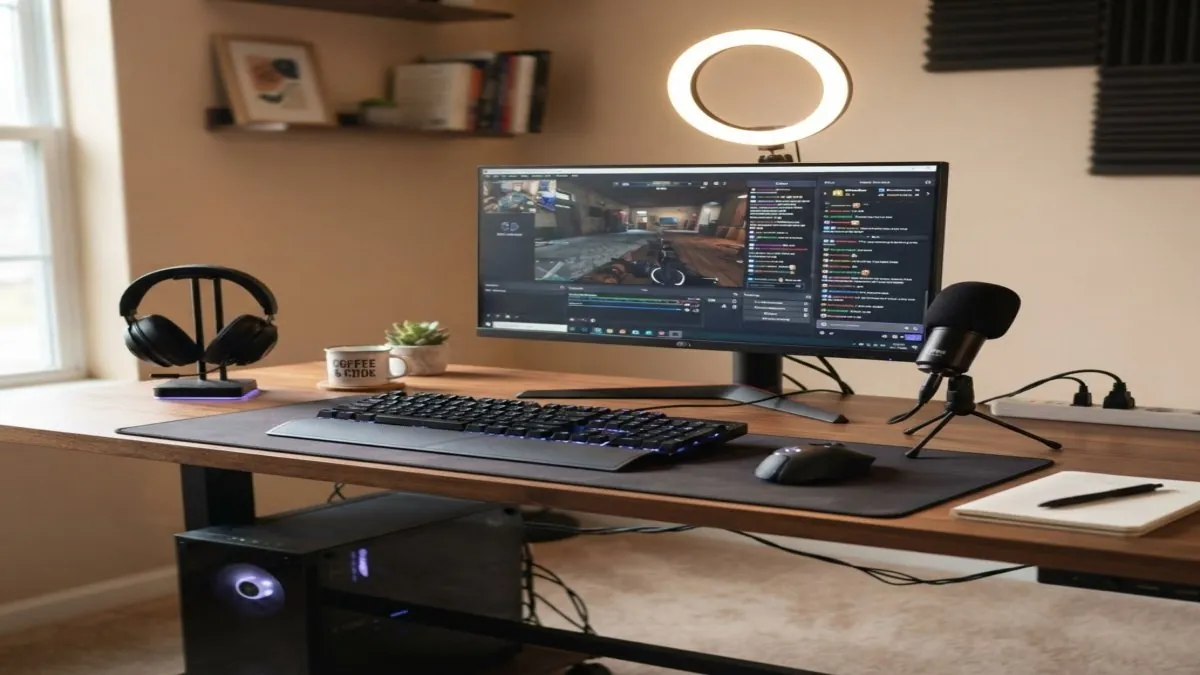
Budget Gaming Accessories for Content Creators
When you're creating tech content and testing gear, you need reliable peripherals that won't break the bank. Most creators assume you need to spend $500+ on a gaming setup to get quality, but that's not true. I've been testing budget gaming accessories for months now, and some of the best value comes from unexpected places.
Why Gaming Accessories Matter for Creators
The peripherals you use daily end up on camera. A cheap, wobbly mouse or a gamepad that drifts after two weeks makes your whole setup look unreliable. The picks below are chosen for durability, value, and real-world performance — not brand names or RGB lighting.
Table of Contents
Top Recommended Picks for 2026
| Component | Model | Price (CAD) | Rating |
|---|---|---|---|
| Mouse | Logitech G203 Prodigy | $25–35 | ⭐⭐⭐⭐⭐ |
| Keyboard | Redragon K530 Wireless | $40–50 | ⭐⭐⭐⭐ |
| Headphones | SoundPEATS Capsule3 | $30–40 | ⭐⭐⭐⭐⭐ |
| Mousepad | Corsair MM200 | $18–25 | ⭐⭐⭐⭐ |
| Gamepad | 8BitDo Pro 2 | $65–80 | ⭐⭐⭐⭐⭐ |
Where to Actually Save Money
1. Buy Generic Mousepads
You don't need a $100 mousepad. The Corsair MM200 is $20 and feels premium. It's durable, the rubber base doesn't slip, and the stitched edges hold up over time without fraying.
2. Wireless Doesn't Have to Be Expensive
The Redragon K530 is a solid wireless mechanical keyboard for under $50. No latency issues, solid build quality, and it looks clean on camera. Most budget wireless keyboards have sacrificed reliability — this one hasn't.
3. Headphone Shopping is Different
Skip the big gaming brands for headphones. Look at audiophile communities instead. The SoundPEATS Capsule3 earbuds are $35 and punch way above their weight class. Better sound isolation than gaming headsets 3x the price.
The One Thing Worth Splurging On
If you're a creator using your setup 8+ hours a day, spend on the 8BitDo Pro 2 gamepad ($70). This one controller supports every platform — PC, Mac, Switch, mobile — and the build quality is miles ahead of budget alternatives. Budget alternatives consistently drift within months based on user reports across Reddit and Amazon reviews.
One controller that covers every platform is a smarter buy than three separate cheap ones.
What I Don't Recommend
- RGB lighting ecosystems — Most waste power and look dated quickly.
- Racing-style gaming chairs — A solid office chair under $150 is better for your back.
- Budget mechanical keyboards with exotic switches — The $40 Redragon outperforms most.
- Gaming monitors under $150 — Just get a solid IPS display; the 165Hz marketing is noise.
Final Thoughts
Budget gaming accessories don't mean compromises on quality. They mean being smart about what matters (durability, comfort, reliability) and ignoring what doesn't (RGB, flashy branding, unnecessary features).
If you're a creator testing gear, your own setup should be a reference point of value. Research what matters, ignore the marketing, and your viewers will trust your recommendations.
Frequently Asked Questions
What are the best budget gaming accessories for content creators?
Budget gaming headsets, mechanical keyboards, and precision mice all have excellent options under $80 CAD. For creators, a dual-purpose gaming headset with decent microphone quality is particularly useful.
Is a budget mechanical keyboard worth it?
Yes — entry-level mechanical keyboards from Keychron and Redragon offer dramatically better typing feel than membrane keyboards for $60–100 CAD. A worthwhile upgrade for anyone who types a lot.
What gaming accessories help with content creation?
A quality gaming headset (doubles as monitoring headphones), a mechanical keyboard, a precision mouse, and a USB hub for clean cable management all have crossover value for content creators.