What Is Googlebook, and Can It Replace a Chromebook?
Google announced Googlebook as a new laptop category built for Gemini Intelligence. It runs Android 17 desktop, integrates deeply with your phone, and promises AI-first features. But what is it actually, and should you care?
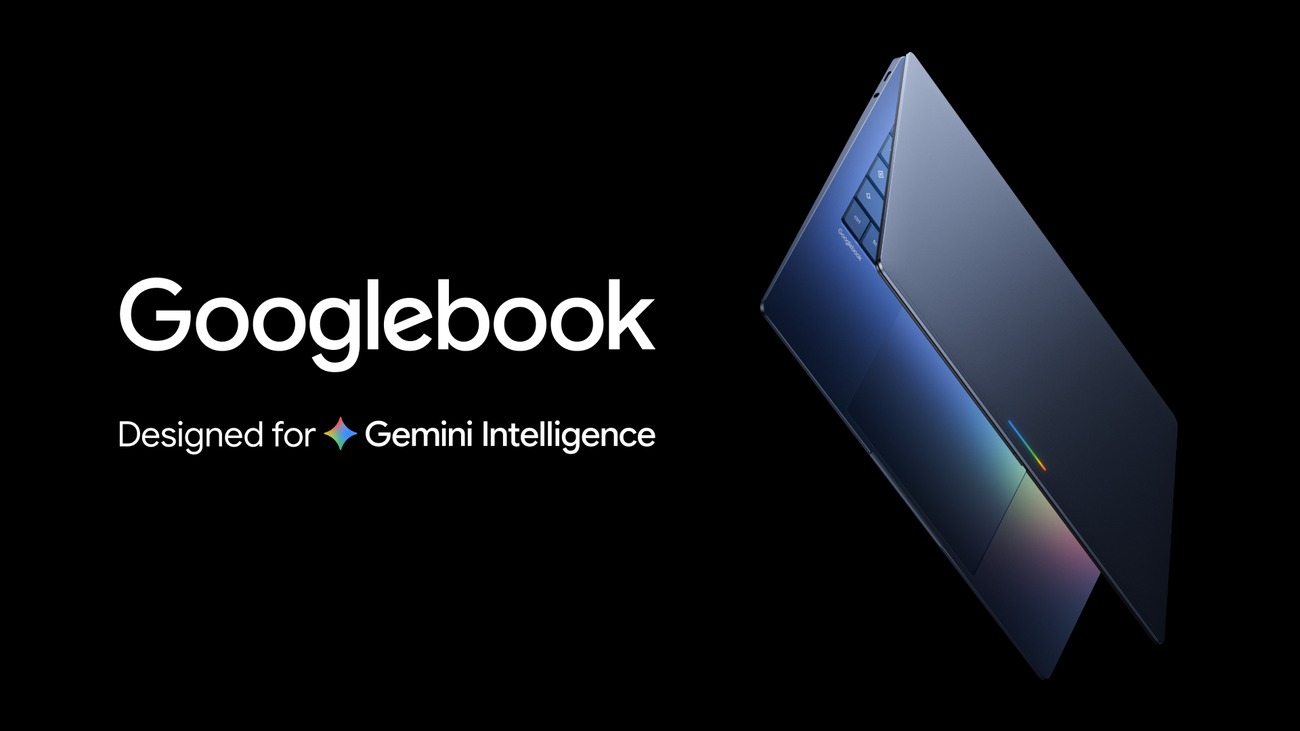
Image: Google official product blog image
Table of Contents
What Googlebook actually is
Googlebook is a new category of laptops announced by Google, designed from the ground up around Gemini Intelligence. It is not a Chromebook refresh or a rebrand. It runs a full desktop version of Android 17, not ChromeOS as its primary interface. Google describes it as "heavyweight power perfectly in sync with your Android phone."
The key distinction is that Googlebook puts AI at the center of the experience rather than treating it as a bolt-on feature. Gemini Intelligence runs on-device (not just in the cloud) and powers contextual suggestions right at your cursor. Google positions this as a fundamentally different way to interact with a laptop — one where the AI understands what you are working on and proactively offers help.
Googlebook is launching in Fall 2026. Google has confirmed that it will run Android apps significantly better than Chromebooks, with Google VP John Maletis stating that the Android app experience on Googlebooks will be a major step up from what Chromebook users currently experience.
How it differs from a Chromebook
The comparison is natural, but the differences are substantial:
| Feature | Chromebook | Googlebook |
|---|---|---|
| Primary OS | ChromeOS (browser-first) | Android 17 desktop (app-first) |
| AI integration | Limited (Google Assistant) | Gemini Intelligence (on-device, contextual) |
| Android apps | Supported but inconsistent | Deeply integrated, significantly better |
| Phone sync | Basic (Google account sync) | Deep file sharing, cross-platform sync |
| Price tier | Budget to mid-range | Premium (12 GB+ RAM, flagship SoC required) |
| Offline capability | Limited (browser-based) | Full Android app offline support |
Chromebooks are browser-first devices that happen to run Android apps. Googlebooks are Android-first devices that happen to offer browser functionality. That is a meaningful shift. If your workflow lives in the browser, a Chromebook is still excellent. If you want native Android apps with deep phone integration and on-device AI, Googlebook is the new option.
Gemini Intelligence and the Magic Pointer
Gemini Intelligence is the AI layer that distinguishes Googlebook from every other laptop. It is not just a chatbot — it runs on-device using Google's AI Core framework and provides contextual assistance based on what you are doing. For example, Gemini can organize your flight and hotel information, restaurant reservations, and event countdowns into a single helpful spot on your desktop without being asked.
The Magic Pointer is one of the signature features. It is an AI-powered cursor that can understand context — selecting text, objects, or information and offering actions based on what it sees. Google is making the cursor "matter more than the chip," suggesting that how you interact with the device is the real innovation, not the processor inside it.
Smart widgets, AI-powered creator tools, and enhanced editing features are also part of the Android 17 package. Google showed improved multitasking, better Android Auto experiences, and smarter notification management. The question is how much of this is genuinely useful day-to-day versus impressive in a demo.
Spec requirements: premium, not budget
Gemini Intelligence has hardware requirements that put Googlebook firmly in the premium tier. The minimum specs are:
- 12 GB or more of RAM — higher than most Chromebooks and many mid-range Windows laptops
- A qualified flagship SoC — not budget or mid-range processors
- On-device AI capability through AI Core — needs a capable NPU
This means Googlebook is not competing with $299 Chromebooks. It is competing with MacBook Air, Surface Pro, and premium Windows laptops. The price has not been officially announced, but the spec requirements suggest a starting price likely in the $799-$1,199 USD range ($1,100-$1,650 CAD).
Who should consider it
Android phone users: If you live in the Google ecosystem and want a laptop that syncs seamlessly with your phone, Googlebook is designed for exactly this. File sharing, notification mirroring, and cross-device continuity are core features, not add-ons.
Students and travellers: Android app support with offline capability makes Googlebook practical for environments without reliable Wi-Fi. The AI features for organizing travel information and managing schedules could be genuinely useful.
Productivity workers: If your work is browser-based (Google Docs, Sheets, Slides) plus Android apps, Googlebook combines both worlds. The on-device Gemini Intelligence for text assistance, summarization, and contextual help could reduce reliance on cloud AI.
What creators need to verify first
If you are a video editor, photographer, or content creator, Googlebook requires careful evaluation. The Android app ecosystem does not have full desktop-class equivalents of Final Cut Pro, DaVinci Resolve, or Photoshop. Google promises "desktop-grade apps" but the reality of what will be available at launch is unverified.
As someone who edits 4K action-camera footage daily on Mac Studio, I would need to confirm that a Googlebook can run a capable non-linear video editor, handle ProRes or H.265 files, support external storage for media, and export at reasonable speeds before even considering a switch. An AI-first laptop that cannot run your editing software is not useful, regardless of how smart its cursor is.
Verify these specifics before buying:
- Does your primary editing app have a full Android desktop version?
- Can you connect and transfer from external SSDs and SD cards?
- Does it support external monitor output for a dual-screen workflow?
- What is the actual export performance for 4K video?
Related Articles
How Much Laptop AI Performance Do You Actually Need? Is Local AI Worth Running on a Laptop in 2026? Laptop Guide Best Laptop Extender Displays for Remote Work 2026FAQ
No. Googlebook is a new, separate category. Existing Chromebooks will continue to work and receive updates. Googlebook is positioned as a more premium, AI-first alternative for users who want deeper Android integration.
Googlebook runs a desktop version of Android 17, not ChromeOS. It still supports Chrome browsing and Android apps, but the primary interface and app framework is Android-based.
It may suit lightweight browser-based workflows. For serious video editing or photo work, verify that desktop-grade creative apps are available and that external storage, monitor output, and file format support meet your needs before switching.
Google has not announced pricing. Given the 12 GB+ RAM and flagship SoC requirements, expect premium-tier pricing likely starting around $799-$1,199 USD ($1,100-$1,650 CAD). Verify at launch.
Information checked August 27, 2026. Confirm current specifications, availability, and pricing with the manufacturer or an authorized Canadian dealer.