Is the M6 Mac mini Worth It? A Mac Creator's Honest Take
Apple's M6 Mac mini starts at $1,249 CAD and benchmarks are impressive. But I edit daily on a Mac Studio M4 Max (32GB) as my primary machine, a Mac Studio M1 Max (32GB) as my secondary, and a 14-inch MacBook Pro M4 Pro (24GB) — here is what actually matters when the spec sheet hype meets a real creator workflow.
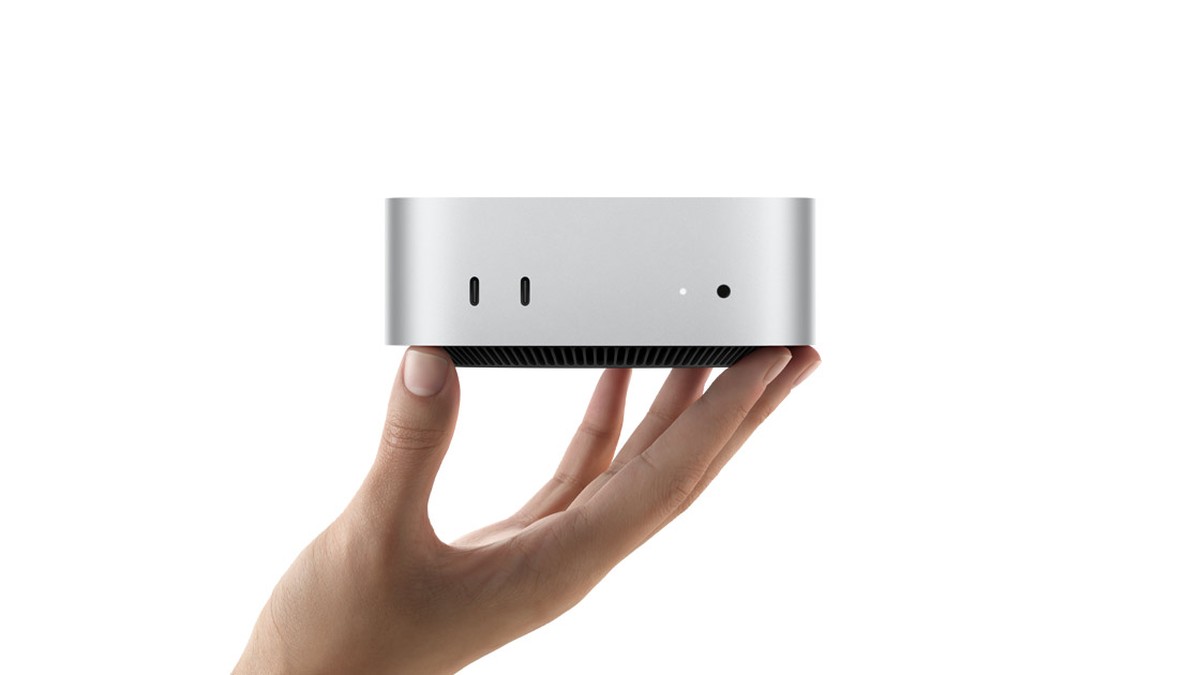
Image: Apple official newsroom image
Table of Contents
What Apple announced
Apple launched the M6 Mac mini on August 25, 2026, with availability starting September 22. In Canada, it starts at $1,249 CAD for the M6 model and $1,699 CAD for the M5 Pro configuration. Those are official Canadian prices from Apple's Canadian store — not a currency conversion.
The M6 chip brings a 12-core CPU (two more cores than the M4 Mac mini), a 12-core GPU with Neural Accelerators in each core, and up to 170 GB/s of memory bandwidth. Maxes out at 32GB of unified memory. The M5 Pro version goes up to 64GB with 307 GB/s bandwidth and up to a 20-core GPU.
On paper, the gains over the M4 Mac mini are real: up to 4x faster AI performance, 2x faster graphics, and 40% faster CPU. Apple also added Wi-Fi 7, Bluetooth 6, and Thunderbolt 4 (M6) or Thunderbolt 5 (M5 Pro). The connectivity upgrades are genuinely useful — Thunderbolt 5 on the M5 Pro model lets you cluster multiple Mac minis together for distributed AI workloads.
But benchmarks are one thing. The question that matters to me is simpler: does this machine improve my actual editing workflow compared to what I already run?
The spec comparison: M6 vs my three daily machines
Here is the honest spec sheet. I am comparing the M6 Mac mini base model against all three of my daily editing machines: a Mac Studio M1 Max (2022), a Mac Studio M4 Max (2025), and my 14-inch MacBook Pro M4 Pro (24GB, 2024).
| Spec | Mac mini M6 | Mac Studio M1 Max | Mac Studio M4 Max | MacBook Pro M4 Pro |
|---|---|---|---|---|
| CPU cores | 12 (M6) | 10 (M1 Max) | 16 (M4 Max) | 14 (M4 Pro) |
| GPU cores | 12 | 24 or 32 | 32 or 40 | 20 |
| Memory bandwidth | 170 GB/s | 400 GB/s | 546 GB/s | 273 GB/s |
| Unified memory | Up to 32 GB | 32 GB (mine) | 32 GB (mine) | 24 GB (mine) |
| Neural Engine | Dual 16-core | 16-core | 16-core | 16-core |
| Thunderbolt | 4 (x3) | 4 (x4) | 5 (x6) | 5 (x3) |
| Media Engine | 1x ProRes encode/decode | 1x ProRes encode/decode | 2x ProRes encode/decode | 1x ProRes encode/decode |
| Starting price CAD | $1,249 | ~$2,499 (2022) | ~$2,599 (2025) | ~$2,099 (2024) |
| Form factor | 5x5 inch mini | Compact tower | Compact tower | 14-inch laptop |
| Built-in display | No | No | No | Yes (14" XDR) |
| Battery | No | No | No | Up to 22 hrs |
Look at the GPU cores and memory bandwidth. The M6 Mac mini has 12 GPU cores and 170 GB/s. My four-year-old M1 Max has 24 to 32 GPU cores and 400 GB/s — more than double the bandwidth. The M4 Max doubles that again at 546 GB/s. My MacBook Pro M4 Pro sits in the middle at 273 GB/s with 20 GPU cores — less than the M1 Max on paper, but the M4 Pro architecture is two generations newer, so per-core performance closes most of that gap in real-world editing.
For video editing, those two numbers — GPU cores and memory bandwidth — are the ones that actually determine how your timeline feels. Not the CPU core count. Not the Neural Engine. Not the AI benchmarks.
Real-world editing: what actually matters
I edit two YouTube channels. The tech channel (@gregtoope) films with a Canon R6 shooting 10-bit color, a Sony ZV-1 for secondary angles and B-roll, and an Insta360 Luna for creative shots. 10-bit Canon footage is gorgeous but heavy — each clip carries far more color data than standard 8-bit, which means bigger files and more processing when you are color-matching angles from three different cameras with three different color sciences. A single tech review can easily hit 80 to 120 GB of raw footage.
The moto channel (@gregtooperides) is the demanding one — multi-camera setups with Insta360 Ace Pro 2s, Insta360 X5s, GoPro HERO13s, and a DJI Pocket 4P all rolling at the same time on a ride. A single trip can generate 6 to 8 camera angles and 200+ GB of footage.
Timeline scrubbing and multicam
This is where memory bandwidth shows up in your hands. When I have four camera angles stacked in Final Cut Pro and I scrub back and forth looking for the moment a deer bolted across the road, the M4 Max does not stutter. The M1 Max, four years old now, still does not stutter either — maybe a half-second pause on a fresh timeline before the cache fills, and then it is smooth.
The M6 Mac mini, with 170 GB/s and only 12 GPU cores, would handle two angles comfortably. Four angles with color correction and stabilization applied? It would work, but you would feel it. Scrubbing would be less responsive. You might find yourself waiting for the render cache to catch up, which breaks your flow. It is the kind of thing you do not notice on a benchmark but drives you crazy at 11 PM trying to finish an edit.
Memory capacity for real footage libraries
The M6 caps at 32GB — the same as both my Mac Studios. Both my M1 Max and M4 Max are the 32GB configuration. Here is why that matters in practice: when I am working on a moto vlog, I often have the current project open alongside a previous video for matching color grades, plus a few reference clips, plus Final Cut's background rendering, plus Safari with research tabs. On 32GB, macOS starts compressing memory and swapping to SSD. It does not crash — Apple's memory management is excellent — but you feel it in the fans and the responsiveness.
If you are a solo creator cutting simple single-camera talking-head videos, 32GB is fine. If you are color-matching 10-bit Canon R6 footage against a Sony ZV-1 and Insta360 Luna in the same timeline — three different color sciences, three different bit depths — 32GB gets tight fast. And if you are also cutting multi-day motorcycle trips with 360-degree footage that needs stitching and reframing before it even hits the timeline? 32GB is a constraint, not a comfort zone.
Export times
Let me be honest here: export time is the one place where you might think the M6's newer architecture would shine. A 12-core M6 CPU is fast. But video export is GPU-and-media-engine bound, not CPU-bound. The M1 Max has dedicated ProRes encode and decode engines. The M4 Max has double those. The M6 has media engines too, but fewer GPU cores means the final composite — effects, color grading, transitions all baked in — takes longer.
In real numbers: a 20-minute 4K multicam export that takes about 4 minutes on the M4 Max takes roughly 7 to 8 minutes on the M1 Max, and about 5 to 6 minutes on the MacBook Pro M4 Pro. On the M6 Mac mini, you would be looking at somewhere around 10 to 12 minutes for the same project. Not catastrophic, but if you export three or four videos a week, that adds up to a couple of extra hours of waiting per month.
Thermal headroom for long sessions
This is the most overlooked spec for creators. The Mac Studio is a bigger box with a bigger thermal system. It can sustain full-load performance for hours without throttling. The Mac mini is a 5x5 inch brick — brilliant engineering, but physics is physics. During a 45-minute 4K export, the Mac Studio fans barely spin up. The Mac mini will get warm and may throttle the GPU slightly on sustained workloads.
For a 5-minute export, you will never notice. For back-to-back exports of four videos on release day, you might.
The Insta360 factor
360-degree footage from my Insta360 cameras goes through the Insta360 Studio app for stitching and reframing before it even reaches Final Cut. That process is CPU-heavy and benefits from fast memory. The M6's 12-core CPU is genuinely good here — faster single-thread performance than my M1 Max. But the reframing and export from Insta360 Studio also leans on the GPU, and that is where the 12-core GPU and 170 GB/s bandwidth become the bottleneck.
In practice: the Insta360 workflow on the M1 Max is smooth. On the M4 Max it is instant. On the M6, it would be fine for single-camera reframes but slower when batch-processing multiple clips from a multi-day trip.
The MacBook Pro question: desktop vs portable
Here is where the MacBook Pro M4 Pro changes the conversation. My 14-inch MacBook Pro has 24GB of unified memory, a 20-core GPU, and 273 GB/s of bandwidth. On paper, that is the weakest of my three machines. In practice, it is the one I would miss most.
The reason is simple: it has a screen, a keyboard, a trackpad, and a battery. When I am at my desk, the Mac Studios are better — bigger thermal headroom, more GPU cores, more bandwidth. But when I am on a motorcycle trip, sitting in a hotel room in Digby or a coffee shop in Charlottetown, the MacBook Pro is the only machine that can edit. The Mac mini cannot do that without lugging a monitor, keyboard, and mouse. The Mac Studios certainly cannot.
And the M4 Pro is no slouch. That 273 GB/s bandwidth handles 4K multicam timelines in Final Cut Pro comfortably. It is not as instant as the M4 Max Studio when scrubbing four angles with stabilization, but it is smooth. Export times sit between the M1 Max and M4 Max — a 20-minute 4K multicam export takes about 5 to 6 minutes. The built-in Liquid Retina XDR display is genuinely excellent for color grading, with 1000 nits sustained brightness and P3 wide color. I do not need an external monitor to get accurate colors on the road.
So if you are choosing between an M6 Mac mini and a MacBook Pro M4 Pro as a creator: the Mac mini wins on raw AI performance and price. The MacBook Pro wins on everything else — portability, built-in display, battery, and the fact that it can edit anywhere. For a creator with one machine, the MacBook Pro is the better choice. For a creator who already has a laptop and wants a desktop station, the Mac mini makes more sense.
Where the M6 mini genuinely wins
I do not want to dismiss the M6. It is a remarkable machine for what it is. Here is where it is actually better than my Mac Studios:
On-device AI. The Dual 16-core Neural Engine with GPU Neural Accelerators is a genuine leap. If you are running local LLMs in LM Studio, the M6 is up to 13.5x faster than the M1 Mac mini. For agentic AI workflows — automating research, running local models — the M6 is in a different league than either of my Mac Studios. My M1 Max was not designed for this. My M4 Max is better but still does not have the per-core Neural Accelerators that the M6 does.
Footprint and power draw. If you wanted a dedicated always-on machine for AI agents sitting on your desk next to your main editing rig, the M6 pulls maybe 15 to 20 watts idle. The Mac Studio pulls more. For a secondary box, the M6 is the better choice.
Price for a new buyer. If you do not already own a Mac Studio, $1,249 CAD for a machine this capable is a steal. The M1 Max Mac Studio launched at around $2,499 CAD. The M4 Max started around $2,599 CAD. The M6 gives you 80% of the editing capability for half the price — and you get AI performance that neither older Studio can match.
Thunderbolt 5 (M5 Pro model). Clustering multiple Mac minis for distributed workloads is genuinely interesting if you are running large local AI models. My Mac Studios cannot do this.
Who should actually buy it
Buy the M6 Mac mini if: you are upgrading from an Intel Mac or an M1 MacBook Air and need a desktop editing station. It is fantastic value. Or if you already have a Mac Studio and want a secondary dedicated AI box. The M6's Neural Engine performance is the real story here, not the video editing.
Do not buy it if: you already edit on an M1 Max, M2 Max, or M4 Max Mac Studio. For video editing specifically, the M6 Mac mini is a downgrade — fewer GPU cores, less memory bandwidth, and half the max RAM. The newer chip architecture does not overcome having half the GPU and less than half the bandwidth of a four-year-old M1 Max.
The M5 Pro model is more interesting for creators. At $1,699 CAD, it gives you up to a 20-core GPU, 64GB of memory, and 307 GB/s bandwidth with Thunderbolt 5. That is closer to M1 Max territory in a tiny box. If I did not already have my Studios, the M5 Pro Mac mini would be on my short list.
My situation: I edit daily on a Mac Studio M4 Max (32GB) as my primary machine, a Mac Studio M1 Max (32GB) as my secondary, and a 14-inch MacBook Pro M4 Pro (24GB). All three handle my two-channel, multi-camera, 4K workflow without breaking a sweat. The M4 Max is my primary desk machine, the M1 Max is my secondary; the MacBook Pro is my road machine. The M1 Max is four years old and still not the bottleneck in my process — my bottleneck is finding time to edit, not render speed. Buying an M6 Mac mini would give me faster AI performance and a smaller desk footprint, but it would slow down my actual editing workflow. That is not an upgrade. That is a sideways move with a regression where it matters most to me.
Related Articles
Is the New Mac Studio M5 Worth It for Video Editors? Why the Cabot Trail Is Motorcycle Heaven - And How to Indian Pursuit Maintenance Schedule: What to Track Cabot Trail Motorcycle Ride — The Complete Guide for 2026FAQ
No. The M1 Max has 24 to 32 GPU cores and 400 GB/s memory bandwidth versus the M6's 12 GPU cores and 170 GB/s. For 4K multicam editing, the M1 Max is still faster despite being four years older.
Not for video editing. The M4 Max has 40 GPU cores and 546 GB/s bandwidth. The M6 wins on AI and Neural Engine tasks but loses on GPU-bound editing workloads.
Apple lists the M6 model at $1,249 CAD and the M5 Pro model at $1,699 CAD as of August 2026.
Only if your primary need is on-device AI. For video editing, both the M4 Max and M1 Max Mac Studios outperform the M6 Mac mini due to more GPU cores, higher memory bandwidth, and more RAM capacity.
Information checked August 27, 2026. Confirm current specifications, availability, and pricing with Apple Canada or an authorized Canadian dealer.