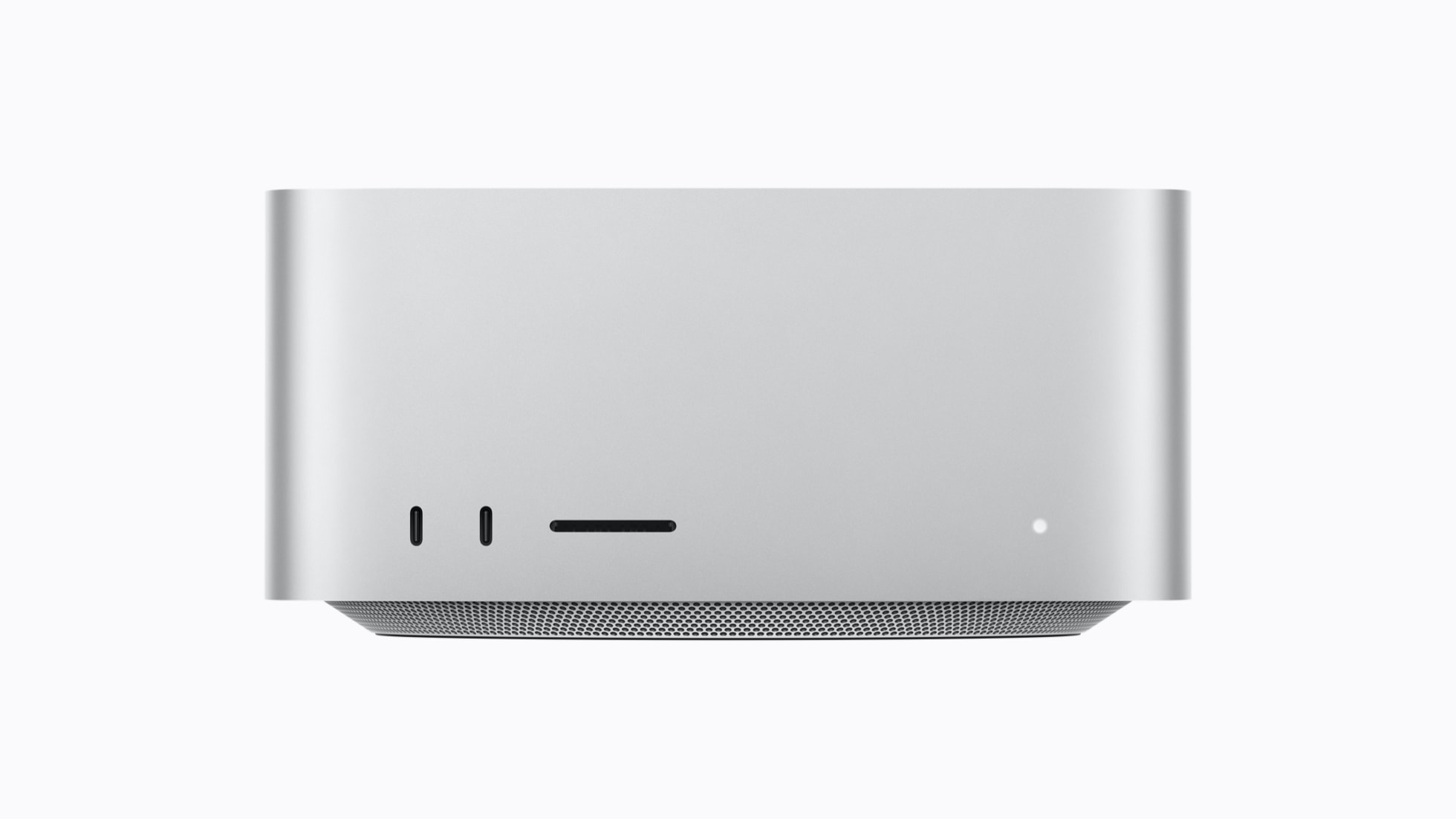
Image: Property of Apple
Apple announced the new Mac Studio on August 25, 2026, with M5 Max and the all-new M5 Ultra. The headline numbers are impressive: up to 4.3x faster AI performance, up to 512GB of unified memory, and Thunderbolt 5 connectivity. But I edit my YouTube videos primarily on a Mac Studio M4 Max (32GB), with an M1 Max (32GB) as my secondary machine, and specs on paper do not answer the real question: does this upgrade actually matter for video editors?
Here is my honest breakdown as someone who has been editing 4K footage daily on Apple silicon since the M1 Max launched.
The Mac Studio was last refreshed in March 2025 with the M4 Max and M3 Ultra. This new version jumps to M5 Max and M5 Ultra, bringing several meaningful changes:
The M5 Max features an 18-core CPU (6 super cores, 12 performance cores) and up to a 40-core GPU with Neural Accelerators built into each core. Up to 128GB of unified memory and 614GB/s of memory bandwidth. The M5 Ultra doubles that: up to a 36-core CPU, 80-core GPU, 512GB of unified memory, and 1.2TB/s of bandwidth.
For video editors, the key additions are third-generation hardware-accelerated ray tracing, enhanced shader cores, and a Media Engine that supports hardware-accelerated H.264, HEVC, ProRes, and now AV1 decode. AV1 decode is new and matters if you work with AV1-encoded footage or want to monitor AV1 streams efficiently.
Wi-Fi 7 and Bluetooth 6 come to Mac Studio for the first time. Thunderbolt 5 replaces Thunderbolt 4, enabling faster external storage and the ability to cluster multiple Mac Studio systems for distributed AI inference.
I have been editing on a Mac Studio M4 Max (32GB) as my primary machine, with an M1 Max (32GB) as secondary. Both handle 4K footage from my Canon R6, Insta360 cameras, and DJI Pocket 4P without breaking a sweat. So where does the M5 Max actually move the needle?
Apple's own performance comparisons against the M1 Max are striking:
For my workflow, the Magic Mask improvement is the most interesting number. Magic Mask in DaVinci Resolve is one of the few features that makes my M4 Max sweat when applied to complex scenes. A 5.3x improvement would make it feel instant.
But here is the honest truth: for standard 4K editing, timeline scrubbing, color grading, and rendering 4K exports, the M4 Max is still excellent. The M5 Max is not going to make your 4K YouTube edits render in half the time. The gains are concentrated in AI-assisted tasks (Magic Mask, smart tracking, AI noise reduction) and 8K workflows.
| Spec | Mac Studio M1 Max | Mac Studio M5 Max |
|---|---|---|
| CPU | 10-core (8P + 2E) | 18-core (6 super + 12 perf) |
| GPU | 24-core | Up to 40-core (with Neural Accelerators) |
| Unified Memory | Up to 64GB | Up to 128GB |
| Memory Bandwidth | 400GB/s | 614GB/s |
| Ray Tracing | No | 3rd-gen hardware-accelerated |
| AV1 Decode | No | Yes |
| Thunderbolt | Thunderbolt 4 | Thunderbolt 5 |
| Wi-Fi | Wi-Fi 6 | Wi-Fi 7 |
| Price (CAD) | ~$2,599 (at launch) | $3,499 |
The M5 Ultra is a different beast. With up to 512GB of unified memory and 1.2TB/s of bandwidth, it is designed for running massive LLMs entirely on-device, 8K real-time color grading, and clustering multiple Mac Studio systems for distributed AI inference.
If you are a video editor who also works with AI tools, the M5 Ultra's ability to run frontier-class language models locally without cloud dependencies is genuinely new. The 512GB unified memory means you can load models that would not fit in any consumer GPU's VRAM. But for pure video editing, the M5 Max is the sweeter spot.
The M5 Ultra also introduces Neural Accelerators to the Ultra chip for the first time, which is what enables the 4.3x AI compute improvement over the M3 Ultra. If you are not doing AI inference or 8K work, the Ultra is overkill.
Mac Studio M5 Max (base): CAD $3,499
Mac Studio M5 Max (education): CAD $3,219
Mac Studio M5 Ultra (base): TBC (USD $5,499)
Availability: Pre-order now, shipping September 22, 2026
The M5 Max base price of CAD $3,499 is a $900 increase over the M1 Max launch price of CAD $2,599. That is a significant jump. The base M5 Max ships with 36GB of unified memory and 512GB of storage. Configuring more memory and storage will push the price up quickly.
For context, my M1 Max with 32GB was the sweet spot for 4K editing. The M5 Max base at 36GB is slightly above that, but 512GB of storage is tight for video work. You will likely want at least 1TB, which adds to the cost.
Upgrade if: You work with 8K footage, use AI-assisted editing tools heavily (Magic Mask, smart tracking, noise reduction), or want to run local LLMs for your production workflow. The M5 Max is a meaningful leap for these specific use cases.
Do not upgrade if: You are doing standard 4K editing for YouTube or social media. The M1 Max and M4 Max are still excellent for this workload. The CAD $3,499 starting price is better spent on cameras, lenses, or audio gear that will have a bigger impact on your content quality.
Wait if: You are curious but not in a rush. The M5 Max is a big chip, but the M6 generation is likely 18-24 months away and may bring more meaningful video-specific improvements.
My plan: I am keeping my M1 Max and M4 Max Mac Studios. They handle everything I throw at them for both my YouTube channels. The M5 is an incredible machine, but for 4K YouTube editing, the real bottleneck is never the computer. It is the time it takes to actually sit down and edit.
How much does the Mac Studio M5 cost in Canada?
The Mac Studio M5 Max starts at CAD $3,499 in Canada. The M5 Ultra model starts higher. Education pricing is CAD $3,219 for the M5 Max. Availability begins September 22, 2026.
Is the Mac Studio M5 Max faster than the M4 Max for video editing?
Yes. Apple claims up to 5.3x faster Magic Mask performance in DaVinci Resolve and up to 10.7x faster LLM prompt processing compared to the Mac Studio M1 Max. For video editors, the M5 Max also offers hardware-accelerated AV1 decode and third-generation ray tracing.
Should I upgrade from Mac Studio M4 Max to M5 Max?
If your M4 Max still handles your 4K editing workflow smoothly, the upgrade is not urgent. The M5 Max is a significant leap for AI workloads and 8K editing, but for standard 4K YouTube editing, the M4 Max remains excellent.
As an Amazon Associate I earn from qualifying purchases. If you buy through the links above, I may earn a small commission at no extra cost to you.